

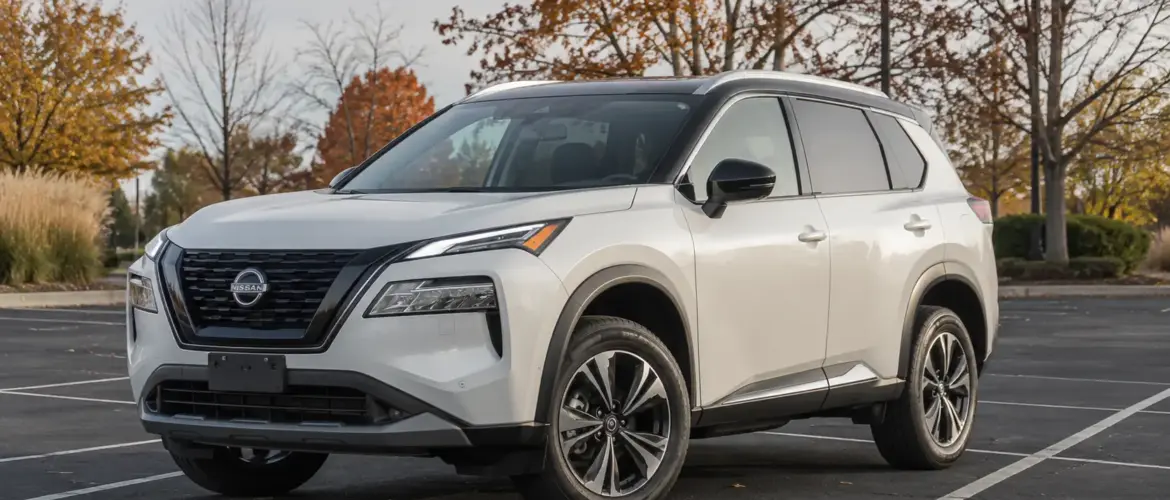
Settings and Shortcuts Built Into Your Rogue
Most owners learn a handful of Nissan Rogue features on delivery day and never open the rest of the menus. Some features are hidden in settings, and a few work differently than people think. This guide covers the gas Rogue from 2021 on: what each feature does, how to turn it on, and which trims have it. The Rogue Plug-in Hybrid and the new 2027 Rogue Hybrid have their own drive modes and screens.
Rogue Drive Modes: Sport, Eco, Snow and Off-Road
All-wheel-drive Rogues have five modes on the console dial; front-wheel-drive Rogues have three.
| Mode | Available on | Use it for |
|---|---|---|
| Auto (Standard on front-wheel drive) | All | Everyday driving; it’s the default |
| Eco | All | Highway cruising and saving fuel; acceleration is softer |
| Sport | All | Sharper response when you want it, at some cost in fuel |
| Snow | AWD | Starting and driving on snowy or icy roads |
| Off-Road | AWD | Bumpy dirt roads, steep grades and sand |

Two common myths: Snow mode doesn’t lock all four wheels, and Off-Road mode doesn’t change the suspension. Both adjust how the engine, AWD system and traction controls respond so the tires find grip. Snow mode is the one to choose on an unplowed Skokie side street the morning after a storm. For how Intelligent AWD splits power, see our Nissan AWD guide.
Rear Door Alert, the 360° Camera and Auto Brake Hold
Rear Door Alert. Standard on the Rogue, and often misunderstood. It doesn’t sense weight on the seat. It remembers that a rear door was opened and closed shortly before your trip (within about 10 minutes of starting the car), shows a reminder when you park, and chirps the horn if you walk away without opening a rear door.
“It’ll be something that gets annoying, but it’s definitely worth being annoyed than having something bad happen.”
Kevin, Sales & Leasing Consultant
The 360° camera (Intelligent Around View Monitor) and Invisible Hood View. On equipped Rogues, the CAMERA button cycles through front, rear, bird’s-eye and side views; shifting into Reverse brings them up automatically. Invisible Hood View, offered on 2025 SL and Platinum models with the Technology Package, shows the road under the front of the car: handy for the high curbs and car-wash tracks around the North Side.

Auto Brake Hold. Press the Auto Brake Hold switch with your seat belt fastened and the transmission out of Park, and the Rogue holds the brakes at a stop until you press the accelerator. In stop-and-go traffic on the Edens, it saves your right foot.
Head-Up Display, Driver Profiles and Phone Connection
- Customize the gauge display. In the settings menu, you choose what appears between the gauges: fuel economy, tire pressures, compass, navigation and more.
- Head-up display. Available on the Platinum, the 10.8-inch HUD projects your speed and turn-by-turn directions onto the windshield. If it isn’t showing, check the HUD switch on the lower left of the dashboard.
- Driver profiles. Each driver can save a profile that remembers their phone connection. On models with memory seats, press SET, then 1 or 2, to save your seat position.
- Your phone. Every Rogue from 2021 on supports Apple CarPlay and Android Auto. Wireless CarPlay and a wireless charging pad have been offered on upper trims since 2021; from 2025, the SL and Platinum add a 12.3-inch screen with Google built-in and wireless Android Auto.

▶ The display settings (1:40) · Kevin on the head-up display (4:33)
Small Features That Save Time
- Windows from the key fob. On equipped models, after unlocking, hold the UNLOCK button for about three seconds to lower the windows on a hot day. Not every Rogue has this, so if nothing happens, yours probably doesn’t.
- Hands-free liftgate. On equipped models, a quick kick under the center of the rear bumper opens it, as long as the key is within about 31.5 inches (80 cm).
“Your hands are full of groceries, you swing it open, it automatically opens up.”
Kevin, Sales & Leasing Consultant

- Divide-N-Hide. On upper trims (SL and Platinum on 2021 to 2026 models), the cargo floor panels lift and slide to split the space or hide valuables underneath.
- Sliding sun visors. On the Platinum, the front visors slide out to block low winter sun from the side.
▶ The key-fob window trick (0:38) · The hands-free liftgate (3:34) · Divide-N-Hide (3:52)
Not Sure What Your Rogue Has?
The quickest way to check yours is the window sticker or the owner’s manual. Shopping for a new one? Our Rogue trim guide shows which trim gets what. ProPILOT Assist and remote start each have their own guide on our blog: see ProPILOT Assist and Nissan remote start.
Want someone to show you? Stop by Old Orchard Nissan and our team will walk you through any Rogue on the lot. We offer no-obligation extended test drives; ask your product specialist for details.
Frequently Asked Questions
How do I turn off Rear Door Alert on my Rogue?
Does my Rogue have a 360-degree camera?
How do I connect my phone to my Rogue?
Why won’t my windows open from the key fob?
See These Features for Yourself
Come try every feature on this list in a Rogue from our lot.


