

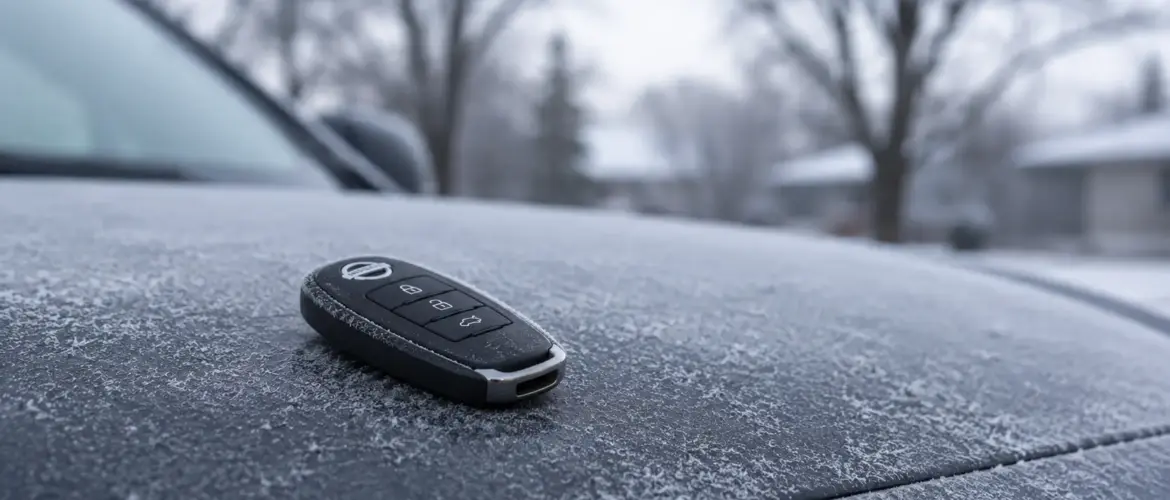
Key Fob Battery at a Glance
It usually happens on the coldest morning of the year. You press unlock, nothing happens, and then the dashboard tells you “Key Battery Low.” A Nissan key fob battery is one of the cheapest parts on your car and one of the easiest to replace yourself. So which battery does your fob take, how do you swap it, and what do you do if the fob dies completely?
Which Battery Your Nissan Takes
Nissan’s manuals for its current Intelligent Keys, including the Rogue and Sentra, call for a CR2032 lithium coin battery, and it’s the cell most current push-button-start Nissans use.
Some older fobs take a CR2025, which is the same width but thinner. The two aren’t interchangeable: a CR2032 won’t let a CR2025 case close properly, and a CR2025 in a CR2032 slot can lose contact.
The surest way to know is to look at the battery you’re replacing; the type is printed on its face. If you’d rather not open the fob first, our parts department can confirm the right battery for your model.
How to Replace a Nissan Key Fob Battery
The job takes about five minutes and needs a small flat-blade screwdriver and a soft cloth. The steps follow Nissan’s owner’s manual procedure for the Intelligent Key:
- Remove the mechanical key. Slide or press the release on the back of the fob and pull the emergency key out.
- Open the case. Insert the screwdriver into the slot at the corner and twist gently to separate the two halves. Wrap the tip in a cloth so you don’t scratch the plastic.
- Note which way the old battery faces, then lift it out. Avoid touching the circuit board and the metal contacts.
- Insert the new battery with the + side facing the bottom of the case, as Nissan’s manual shows, holding it by its edges. Nissan notes that holding a coin battery across both contact faces seriously drains it.
- Snap the case back together, slide the mechanical key back in, and press each button to confirm the fob works.

You don’t need to reprogram an Intelligent Key after a battery change. The fob keeps its pairing with the car.
How to Start Your Nissan With a Dead Fob
A dead fob doesn’t leave you stranded. Your Nissan can still read the fob’s chip at very short range, even with no battery power at all.
To get in: use the mechanical key from inside the fob. On most Nissans, the keyhole is on the driver’s door handle, sometimes hidden under a small cap you can pop off with the tip of the key.
To start the engine:
- Put the transmission in P (Park). On a Nissan Z with a manual transmission, shift to Neutral and press the clutch fully.
- Press the brake pedal firmly.
- Touch the START button with the fob. You’ll hear a chime.
- Within 10 seconds of the chime, press the START button while still holding the brake. The engine starts.

After a start like this, the key warning may stay on the display even with the fob inside the car. Nissan’s manual says this isn’t a malfunction.
Why It Quits in the Cold
A key fob battery doesn’t actually lose its charge faster in the cold. Energizer explains that lithium coin cells temporarily lose capacity in extreme cold because their internal resistance rises, so the same battery puts out less power when the fob tries to transmit.
Energizer rates its CR2032 cells for use down to −22°F (−30°C); Duracell’s standard CR2032 is rated only to −4°F (−20°C). O’Hare hit −10°F in January 2024, −8°F in January 2025, and −23°F during the January 2019 polar vortex, below even that limit. That’s why a weak battery that works fine in October can quit on the first subzero morning in January.
Here’s how a weakening battery shows up:
| What you notice | What it usually means | What to do |
|---|---|---|
| Shorter range, or several presses before it works | The battery is weakening | Replace the battery soon |
| “Key Battery Low” appears on the dashboard | The car has detected a weak fob battery | Replace the battery as soon as possible |
| Nothing works, even right next to the car | The battery is dead, or the fob is damaged | Use the mechanical key and the start method in section 04 |
A few habits help in a Chicago winter:
- Keep the fob in an inside pocket, not on a keyring clipped to the outside of a bag or left in the car overnight.
- Keep a spare CR2032 at home in a drawer, not in the glovebox, where it would sit through the same cold as the fob.
When It’s Not the Battery
If a new battery doesn’t fix the problem, something else is going on:
- One button works and another doesn’t: a worn button or a damaged circuit board.
- The fob works for the doors but the car still says it can’t find the key: the car’s antenna or a damaged fob, which our service team can diagnose.
- The car won’t crank in deep cold, or the key warning shows up with a fresh fob battery: check the car’s 12-volt battery too. Cold weakens both.
- The fob went through the washing machine: dry it out completely, then try a new battery. If it still doesn’t work, it likely needs replacing.
A lost or damaged fob needs a replacement Intelligent Key programmed to your car. Ask our parts department about current pricing and what to bring.
Why Old Orchard Nissan
Old Orchard Nissan is a Nissan Dealer of the Year (2019, 2023, 2024). For anything key-related, here’s how we can help:
- Genuine Nissan replacement Intelligent Keys from our own parts department.
- Express Service available for many services — no appointment needed; call to confirm availability for diagnostics.
- We service all makes and models.
Frequently Asked Questions
Can a weak fob battery stop remote start from working?
Does it have to be a Nissan-brand battery?
How long does a spare battery keep in a drawer?
How often should I replace the fob battery?
What should I do if a child swallows a coin battery?
How do I get rid of the old battery in Illinois?
Have Questions About Your Key Fob?
Call our parts department or stop by 5240 Golf Rd in Skokie. We’ll confirm the right battery for your model, or set you up with a replacement Intelligent Key.


